
ZPL Viewer
for Windows
Open, preview, convert, print ZPL labels, and edit raw ZPL source code — all in one desktop app. Work with existing ZPL files locally on your computer, with no web upload required.
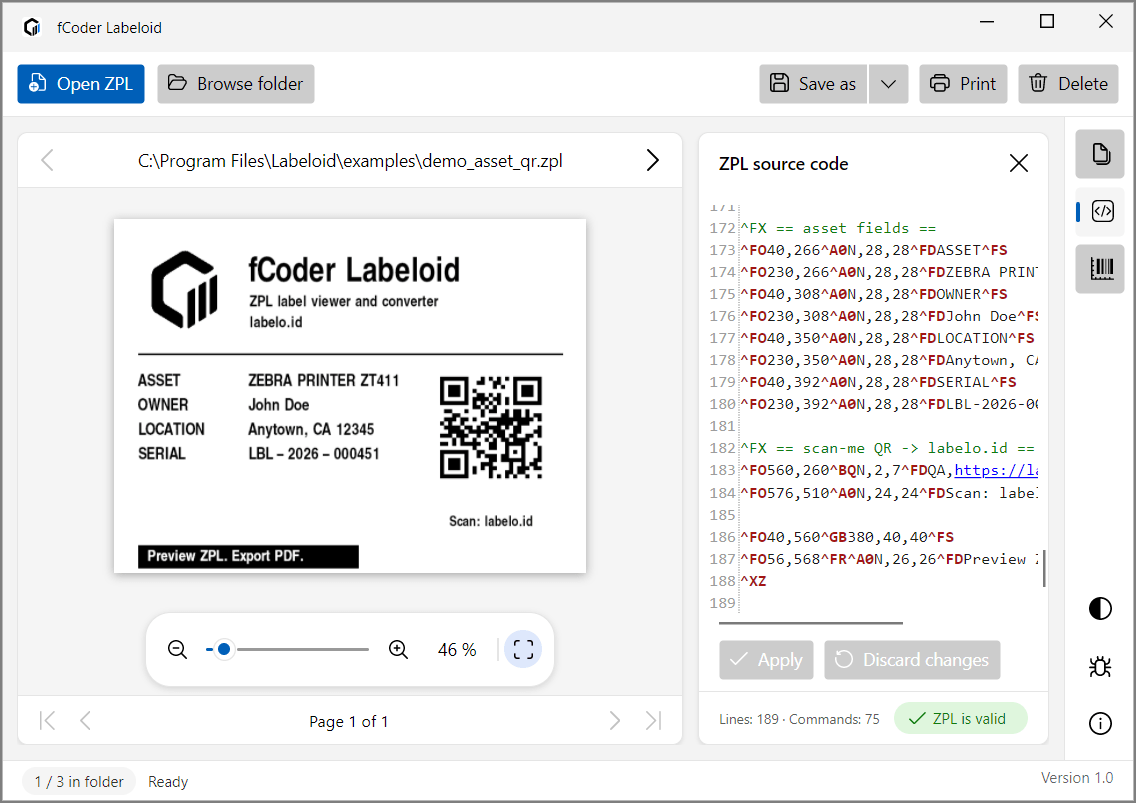
Open ZPL files from your computer
Labeloid lets you open ZPL files from the file dialog, drag them into the app, or double-click a
.zpl file in Windows Explorer. The rendered label appears alongside its source code
in the same desktop workspace. Use Browse folder to find ZPL files in a folder
and browse through them in the app.
- Open from the file dialog.
- Drag and drop a ZPL file into Labeloid.
- Double-click a .zpl file in Windows Explorer.
Need step-by-step instructions? Read the User Guide.
Note: Labeloid is designed for working with existing ZPL files and does not currently create new ZPL files from scratch. Have a feature request? Let us know.
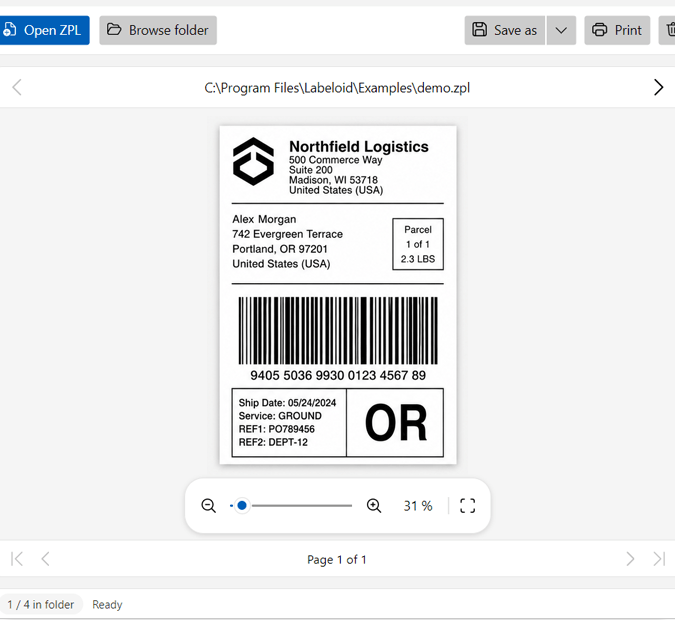
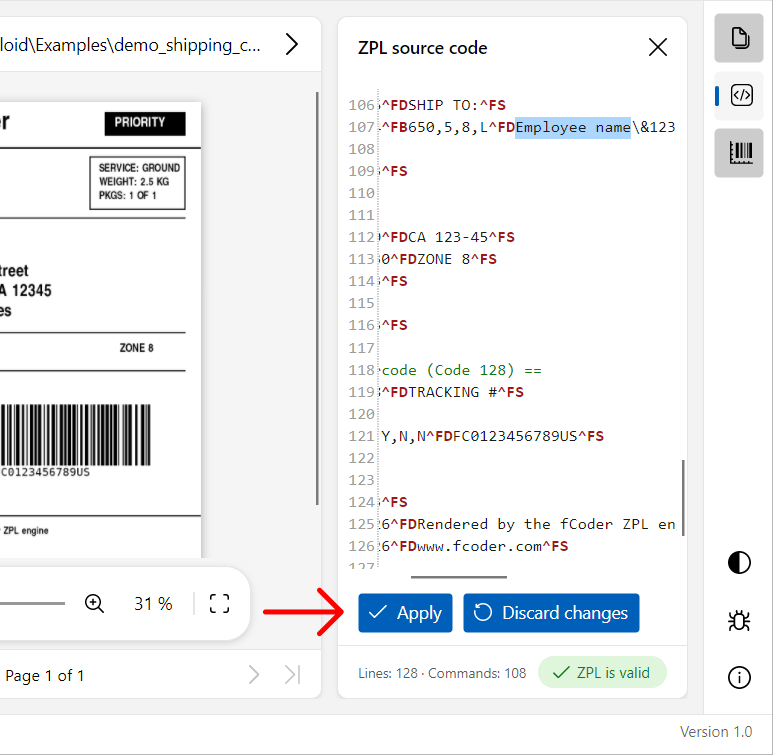
Edit raw ZPL, then Apply
The built-in source editor lets you change raw ZPL with syntax highlighting. When you are ready, click Apply. Labeloid saves the edited ZPL and redraws the label.
The preview does not update while you type; Apply is the explicit edit-to-render step.
💡 Tip: Click a specific area in the label preview, and Labeloid highlights the corresponding ZPL code.
Print or export your ZPL labels
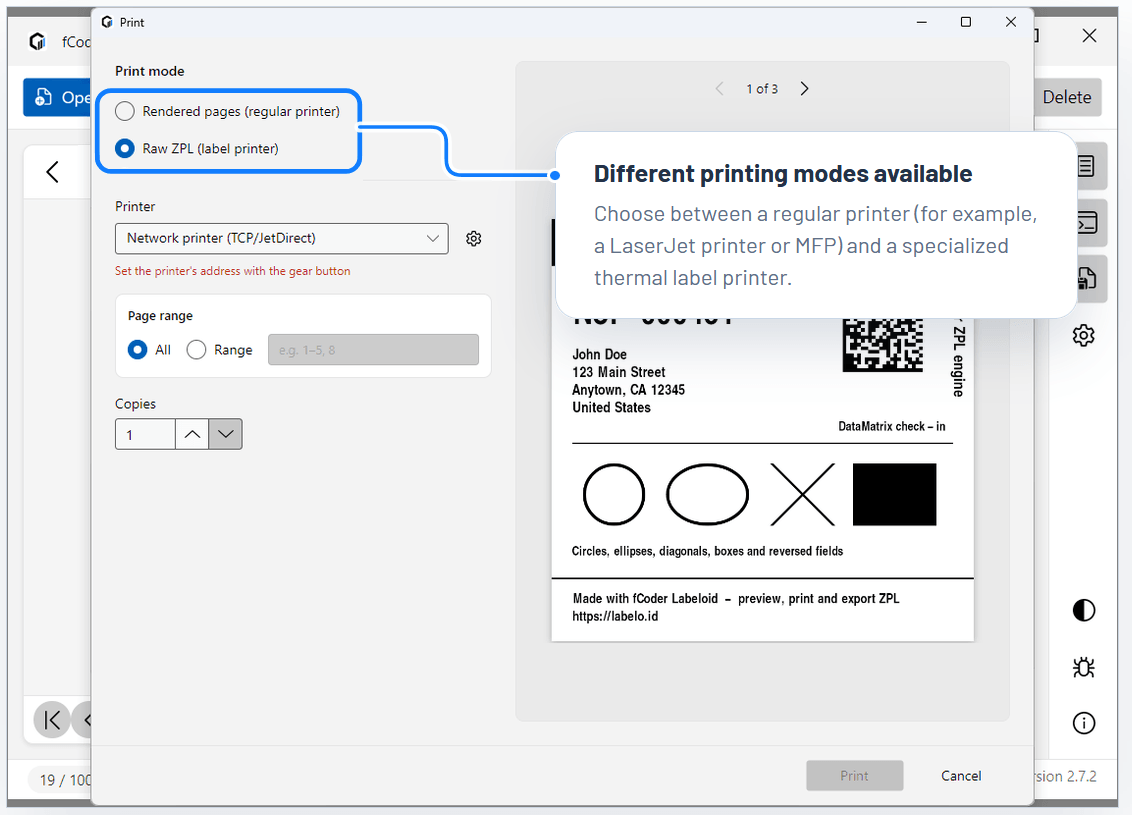
Print labels on any selected printer or send raw ZPL directly to Zebra printers for fast, precise output.
Labeloid also lets you export ZPL labels as PDF, PNG, or JPG — perfect for sharing, archiving, or using labels outside the printing workflow.
You can export your labels into any of these formats:
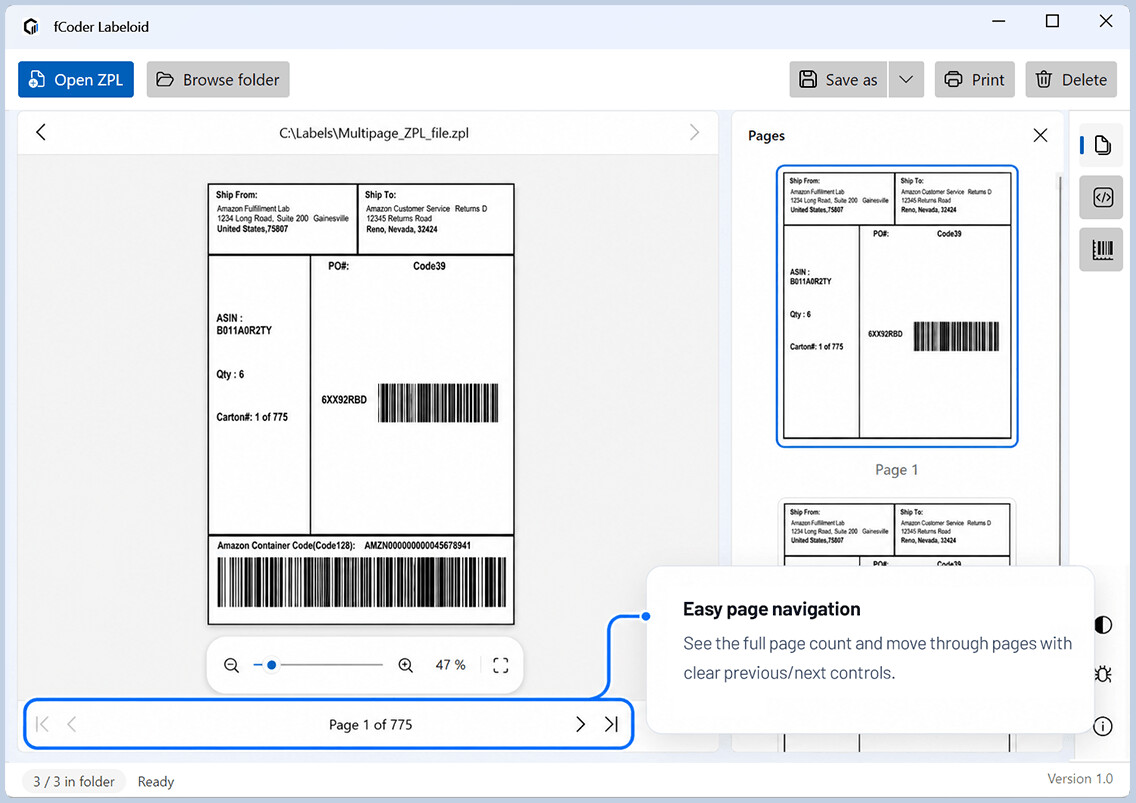
Navigate multi-label ZPL, one page at a time
Page thumbnails, navigation controls, and a page count make it easy to browse multi-page ZPL files while keeping the current label clearly in view.
Spot potential ZPL issues in the source code
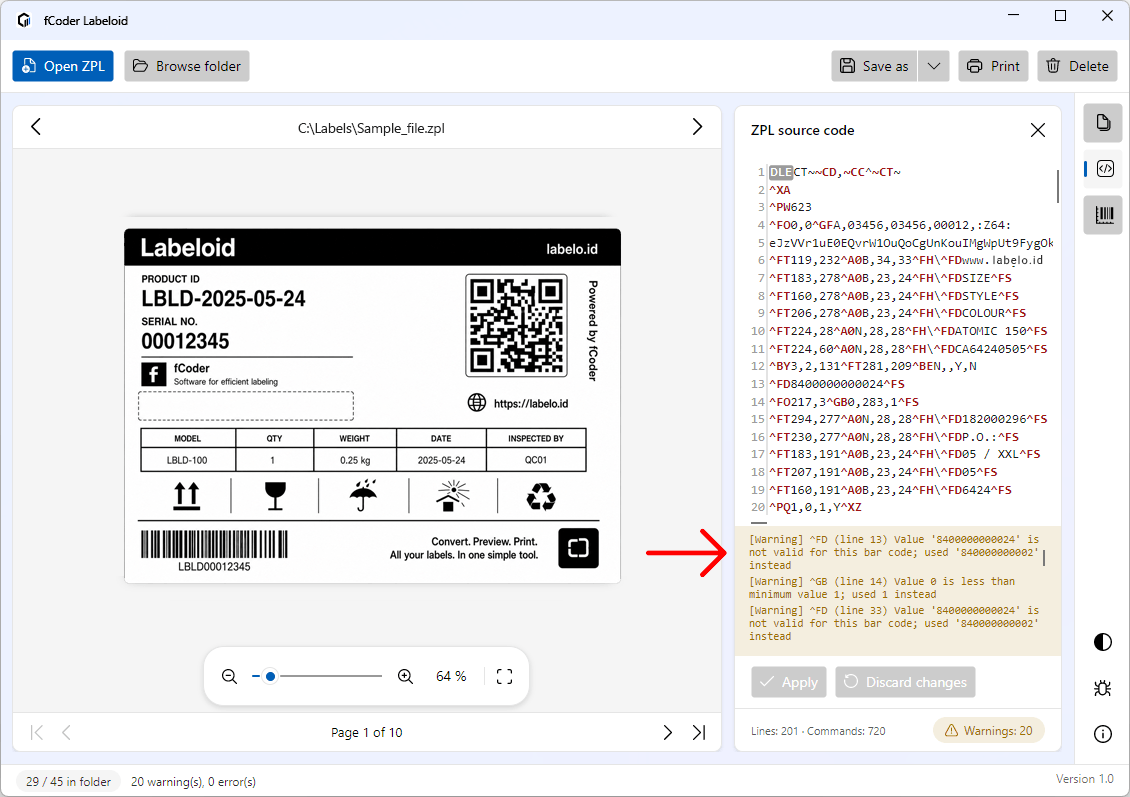
A file may contain invalid parameters, unknown commands, or non-standard ZPL. Labeloid surfaces warnings so you can spot potential issues in real time, adjust the source code, and render again.
Still having trouble with a ZPL file? Send it to us and we’ll take a look.
View and render ZPL files without uploading them online
Normal ZPL viewing and rendering happen locally on your Windows computer, with no need to upload your files to a web service. Keep sensitive label data out of browser-based workflows.
Preview ZPL files in Windows Explorer
Associate
Labeloid with .zpl files and see label previews directly in Windows Explorer.
Built on fCoder’s own ZPL rendering technology
Labeloid is powered by fCoder’s own ZPL rendering technology, which converts ZPL source code into the label image you see in the viewer. The same rendering technology can also be licensed for integration into your own software or product.
 fCoder rendering
engineInterprets the ZPL commands that affect the rendered label
image.
fCoder rendering
engineInterprets the ZPL commands that affect the rendered label
image.
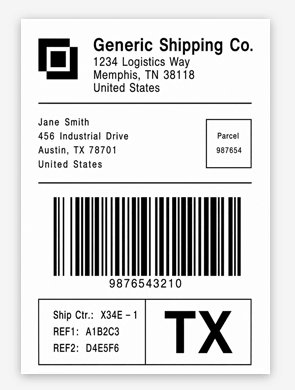
Need reliable ZPL rendering in your own product? We can provide the fCoder rendering engine for developer workflows on request. Contact us to discuss integration options. Contact us →
fCoder team
ZPL workflows beyond the viewer
Labeloid covers local viewing and source editing. Other fCoder products handle adjacent ZPL tasks such as conversion, printing, batch processing, automation, and integration.

Labeloid
Open, inspect, edit, and export existing ZPL files on Windows.



Practical answers about Labeloid
What is Labeloid?
Labeloid is a Windows desktop ZPL viewer with a built-in raw ZPL source editor.
Does Labeloid work offline?
Normal viewing and rendering work without an internet connection, and no web upload is required for that workflow.
Can I edit ZPL in Labeloid?
Yes. Edit raw ZPL with syntax highlighting, then click Apply to save the changes and redraw the label.
Can Labeloid open multi-label ZPL files?
Yes. Multi-label files can be viewed by page with thumbnails, navigation controls, and a page count.
How are multi-label files exported?
A multi-label ZPL can be exported to PDF, PNG, or JPEG. By default, Labeloid saves all pages in the ZPL file. To export only selected pages, specify page numbers and/or page ranges in the Page range field on the Rendering parameters tab.
Do I need a Zebra printer or driver just to preview ZPL?
No. A Zebra printer and Zebra printer driver are not required to open, view, or render a ZPL file.
Can I print from Labeloid?
Yes. Labeloid includes a print dialog. Printing to a regular printer is available if you don’t have a Zebra printer nearby.
What should I do if a ZPL file renders incorrectly?
Review warnings and diagnostics in the User Guide. If the issue remains, Open Support and send the original ZPL file together with enough context to reproduce the problem.
View, edit, export & print ZPL locally
Download Labeloid and work with existing ZPL files locally on your PC.